
Weekly Apple Mac Repair Requests Week 2 Part 1 Updated 2023
Weekly Apple Mac Repair Requests. Week 2 Part 1. Updated 2023.
Good day ZA Support Readers
This past week we received some requests for upgrades.
The Reason for upgrading requests
Most of the time the complaint is that the Mac is slow and that upgrading the macOS can not be done due to a lack of memory.
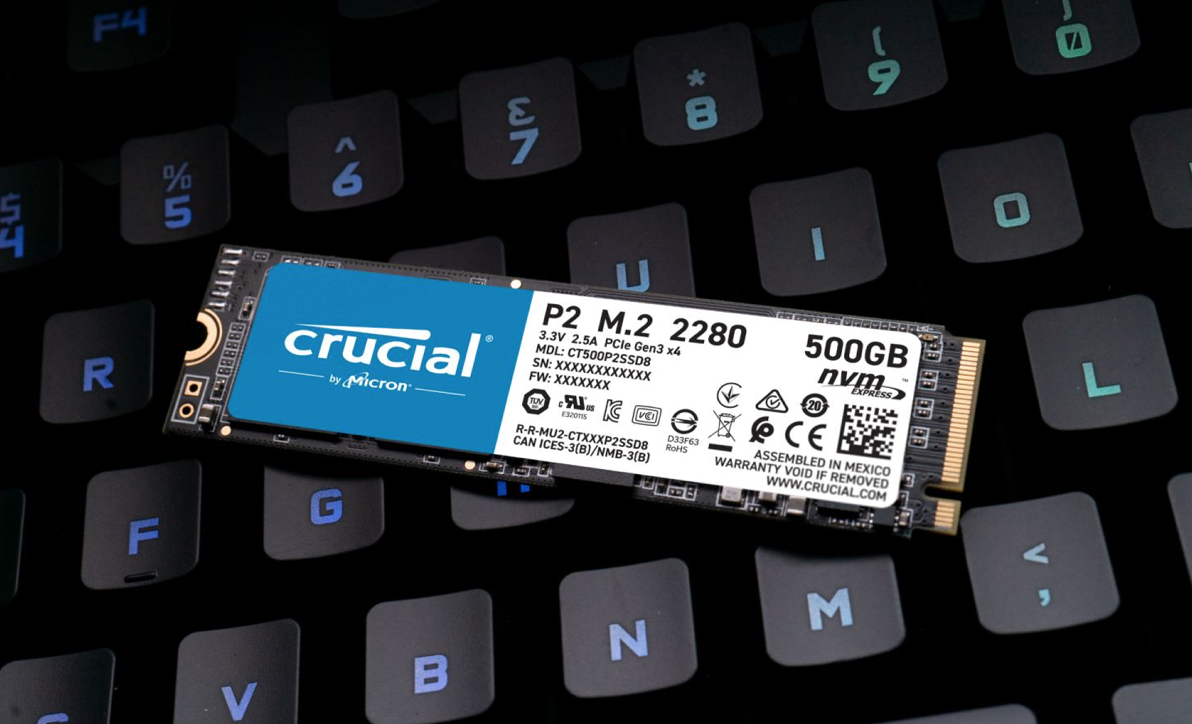
Here follow a general discussion regarding upgrading your Mac with an SSD.
Solid-state drives (SSD) are faster than hard drives but not all SSDs are the same.
The question to be answered is whether to replace your hard drive with an SSD and which one to choose because they come in different sizes, have different speeds, and cost different prices.
It is also important to understand what kind of SSD will suit your needs.
Key differences between NVMe and SATA SSDs:
– The method of communication that SSDs use can either be NVMe or SATA.
– NVMe drives are faster than SATA drives.
– NVMe SSDs are usually found in M.2 form factor whereas SATA SSDs can take the form of 2.5″ or M.2 drives.
– You need to check if your Mac supports NVMe or SATA before buying.
Read-write speed differences:
– NVMe can deliver a read-write speed of 2000MB per second in comparison to the SATA SSD with 600MB per second.
– SATA SSDs have a maximum speed of 600 MB per second, while M.2 can hit 4 GB per second.
– An SSD with at least 500mb/s sequential read and write speed is recommended and will be fast enough for most tasks.
– If you need more for complex things you should look into SSDs rated 2000 or 3000 mb/s speeds.
A major problem with SATA SSDs is the speed of SATA connections and a solid-state drive will always be faster than a Hard Drive however the NVMe technology will always pass the speed caps of SATA devices.
So the main differences between NVMe and SATA are cable clutter and speed.
No matter what SSD you upgrade to you will experience a leap in performance.
In part 2 we will discuss RAM upgrades.
EL Admin Office
Contact Us
(+27) 083 656 8992
(+27) 079 053 9964
admin@zasupport.com
22 North Road, Dunkeld West, Johannesburg
Monday-Friday: 6am – 6pm
Saturday: 9am – 1pm
Sunday: Closed
Get Started
Reach out to us to receive expert Apple support.
Simply complete our easy 2 minute book in form.
Update on Apple’s launch of the MacBook Pro 14″ and 16″ and MacOS Venture. Updated 2022
Update on Apple’s launch of the MacBook Pro 14″ and 16″ and MacOS Venture.Update on Apple’s launch of the MacBook Pro 14″ and 16″ and MacOS Venture. Apple has been working on the M2 versions of the MacBook Pro 14" and 16" and the new macOS Ventura. The rumor is...
How to take care of the battery of your Apple Mac.
How to take care of the battery of your Apple Mac. How to take care of the battery of your Apple Mac. A battery is a physical and chemical process and how it is used affects how long it lasts. Every battery has a certain number of times or cycles, that it can...
Most frequently asked questions regarding Apple Mac Keyboards. Updated 2022
Most frequently asked questions regarding Apple Mac Keyboards.Most frequently asked questions regarding Apple Mac Keyboards. The keyboard is one of the most used parts of your Mac and when it does not work it can bring your activities to a stop. What type of...
Should I buy a pre-owned or new Apple Mac? Updated 2022
Should I buy a pre-owned or new Apple Mac?Should I buy a pre-owned or new Apple Mac? Benefits of a certified pre-owned Mac. 1. They are as good as new. Each product is tested to make sure it is in working condition going through several tests....
SHOULD I UPGRADE MY OLD MAC OR BUY A NEW ONE? UPDATED 2022
SHOULD I UPGRADE MY OLD MAC OR BUY A NEW ONE? SHOULD I UPGRADE MY OLD MAC OR BUY A NEW ONE? You might love your old Mac but it is no longer performing and you should consider upgrading or replacing it. Because each individual has different needs and...
My cat and my Apple Mac.
My cat and my Apple Mac My cat and my Apple Mac. What happened? Mrs. Thom likes to work in front of the TV with the Mac on her lap. Keeping her company is Teddy her 3-year-old cat. This particular evening as she was working she noticed that Teddy was...