
Available soon the new MacBook Pro 2022 powered by the M2 chip. Updated 2022
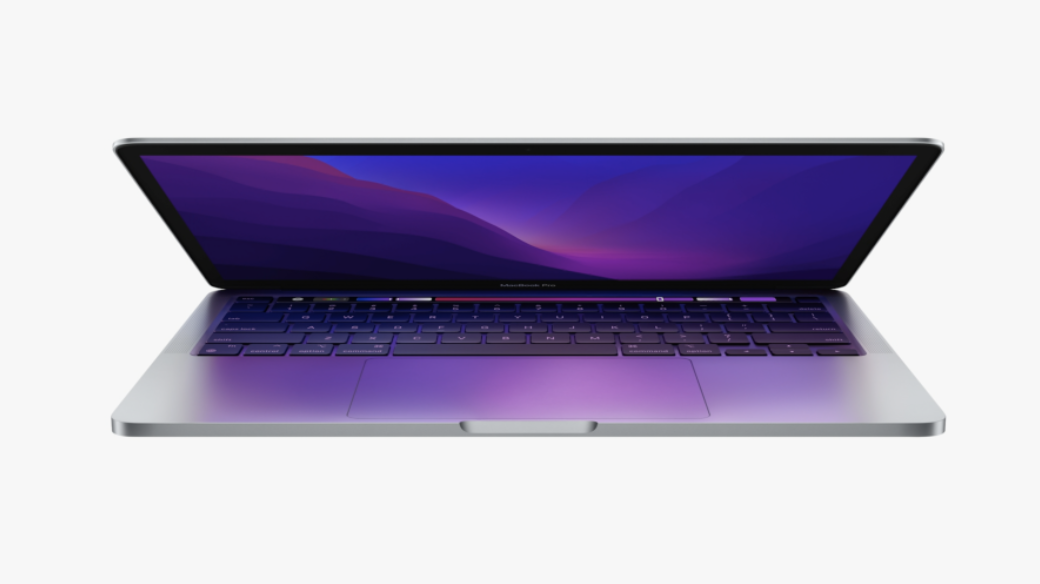
Available soon the new MacBook Pro 2022 powered by the M2 chip.
The latest MacBook Pro is just a newer version of the previous one with a similar design and price but with the improvement of the M2 chip that can deliver up to 20 hours of video playback.
Although the original M1-powered MacBook Pro was one of the best laptops you can buy the news of a new one is a big deal.
New features:
– It is powered by the new M2 chip which is an improvement on the M1 chip which can pack up to an 8-core CPU and a 10-core GPU.
– Available in the same pair of USB-C ports with easy access and now with the support of quick charging.
– Although it has the same Touch Bar and rounded chassis the redesigned internals promote better performance due to new active cooling technologies.
Colors:
– Space grey
– Silver
Finally:
There is quite a close race between the new MacBook Pro and the new MacBook Air with all its bright colors.
An update on the launch of the MBP 14″ and 16″ has been expected towards the end of 2022 but is now only being launched in 2023.
Contact Us
(+27) 083 656 8992
(+27) 079 053 9964
admin@zasupport.com
22 North Road, Dunkeld West, Johannesburg
Saturday: 9am – 1pm
Sunday: Closed
Get Started
Reach out to us to receive expert Apple support.
Simply complete our easy 2 minute book in form.
January 2023 Week 1 feedback on weekly Apple repair requests. Updated 2023
Week 1 Apple Mac repair request feedback. Updated 2023Week 1 Apple Mac repair requests feedback. Updated 2023 Good morning ZA Support readers. We get daily repair requests and in my weekly Article, I will explain some of these. Some of our clients...
MacOS Ventura is now available. Updated 2023
macOS Ventura is now available Updated 2023macOS Ventura is now available. macOS Venture includes new productivity tools and continuity features that make the Mac experience better than ever. Lots of New Benefits. Continuity Makes Apple Devices Work...
How to find out if your Apple Mac’s battery needs replacing. Updated 2023
How to find out if your Apple Mac’s battery needs replacing. Updated 2023 How to find out if your Apple Mac's battery needs replacing. Process: 1. Download the coconut battery version from the website. This a preliminary piece of software as read on early indicators...
Explanation of specifications regarding your Apple Mac. Updated 2023
Explanation of specifications regarding your Apple Mac. Explanation of specifications regarding your Apple Mac. Core There are performance-oriented and energy-efficient cores. Each core performs its own task and the more cores, the more powerful the...
The damage that liquid can cause to your Apple MacBook. Updated 2022
The damage that liquid can cause to your Apple MacBookThe damage that liquid can cause to your Apple MacBook Accidents happen but if you act fast you can save your computer from further damage. What to do? 1. Turn your Mac off immediately since leaving...
The backlight on my Apple MacBook Keyboard is not working. Updated 2022
The backlight on my Apple MacBook's Keyboard is not working.The backlight on my Apple MacBook's Keyboard is not working. When the keyboard's backlight starts acting up here are a few ways to get it working again. 1. You need to check the keyboard's backlight...