
When should I shut my Mac down? Updated 2022
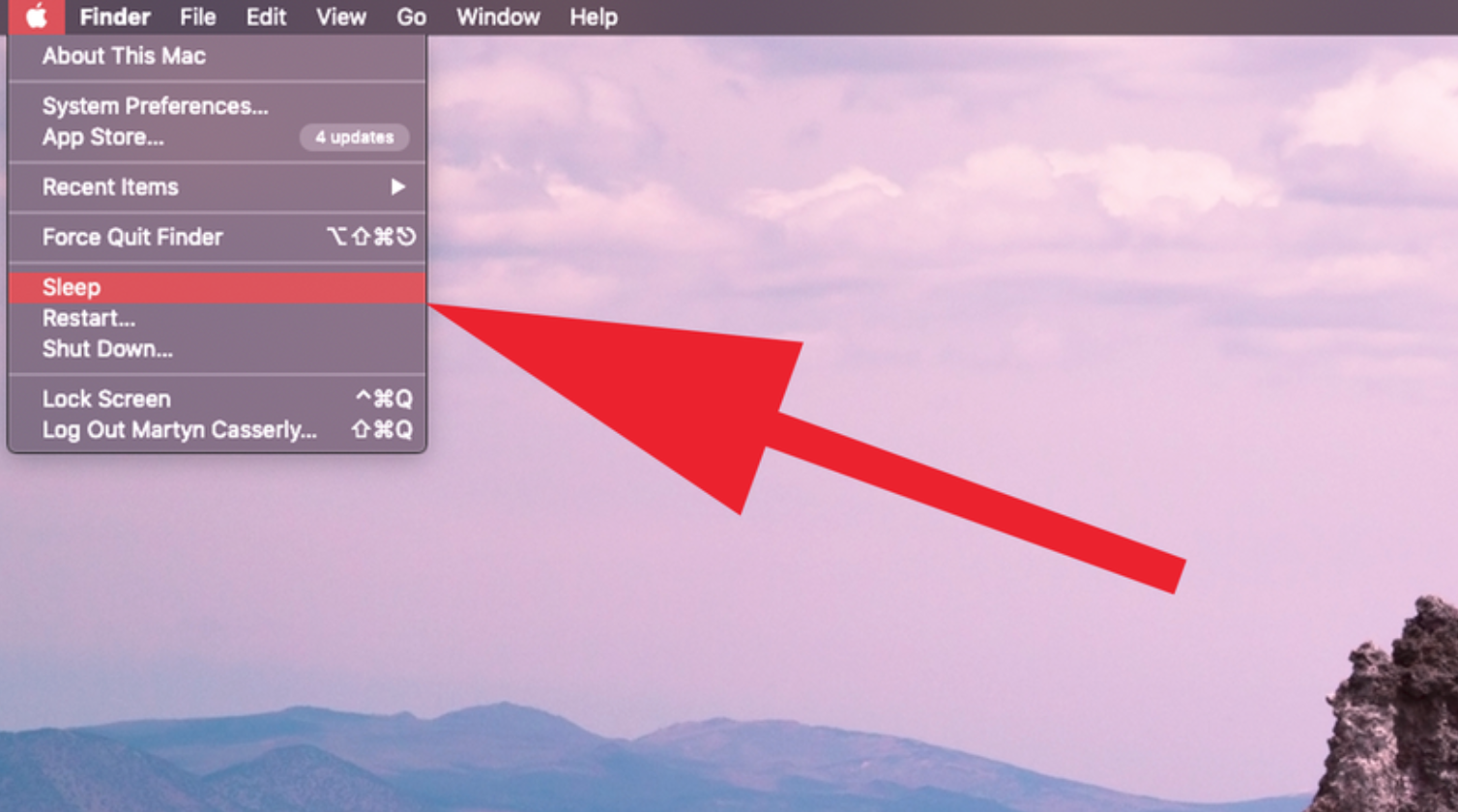
Have you ever thought of how often you should shut down your Apple Mac or restart it? Sometimes it is an automatic reaction on a daily basis and you have not given it a second thought.
The three options:
Apple has designed macOS and Macs to be very efficient in terms of energy use and performance. There are three options open to every user when they’ve finished using the computer for the day: leave it on, put it to sleep, or turn it off.
Power usage:
Electricity use is really minimal when the screen is off and the Mac draws extremely little power when it is at rest.
Overheating:
Macs are built to withstand the cooling and reheating when computers are switched off and on.
Should you put it to sleep or turn it off?
Your Mac will start up much quicker when it is put to sleep instead of being turned off.
The newer Macs wake up almost instantly due to the way the system is configured making it a tempting feature.
Is it bad not to shut your Mac down?
You can rectify your Mac not getting clogged up with processes and applications by shutting it down and even by rebooting it.
The only way to give your device a good clean is to shut it down and start it up and ensure that the RAM is cleared out and allow some processes that might be stuck to get going again.
Finally, if you are only going to be away from your Mac for an hour or so letting it sleep is probably the best way. Any longer than that you should power it down.
Contact Us
(+27) 083 656 8992
(+27) 079 053 9964
admin@zasupport.com
22 North Road, Dunkeld West, Johannesburg
Monday-Friday: 6am – 6pm
Saturday: 9am – 1pm
Sunday: Closed
Get Started
Reach out to us to receive expert Apple support.
Simply complete our easy 2 minute book in form.
Where to find your Mac serial number for Apple SSD or Mac RAM upgrade Updated 2022
Where to find your MacBook Pro, iMac or MacBook Air serial number for an Apple SSD or Mac RAM upgrade updated 2022 Do you want to upgrade your Macs' Apple SSD or Apple RAM? Start with finding the serial number. This is a step-by-step guide on how to find you Mac...
Has your Mac been HACKED?? Updated 2022
Has your Mac been HACKED?? Has your Mac been HACKED?? What to do if you think your Mac's hacked? Over the past couple of weeks ZA Support has opened a special dedicated Mac Hack support desk due to the significant increase in hacking related queries. The first step...
What to do when your Mac becomes really slow if you have run out of Apple storage space. Updated 2022
What to do when your Mac becomes really slow if you have run out of Apple storage space What to do when your Mac becomes really slow if you have run out of Apple storage space Many Apple ZA Support fans find their Mac's becoming slow as a result of a shortage of...
What to do when load shedding hits your Apple Mac. Updated 2022
What to do when load shedding hits your Apple Mac What to do when load shedding hits your Apple Mac Top 3 tips to identify electrical damage Load shedding in 2019 has hit everyone in South Africa hard. However, your Mac is especially affected if load shedding occurs....
ZA Support Apple Specialist Lightning struck my Mac + 10 Things you didn’t know about Apple + Cool upcoming Apple Products. Updated 2022
Lightning struck my Mac + 10 Things you didn't know about Apple + Cool upcoming Apple Products ZA Support is the number 1 2022 Apple support business as rated by the Apple community As ZA Support turns 10 years old we have gained a significant amount of Apple...
PRAM Apple reset – What to do when your Mac won’t load properly ZA Support South African Apple Specialist. Updated 2022.
PRAM Apple reset - What to do when your Mac won't load properly ZA Support South African Apple Specialist recommendation ZA Support has some top tips when you may need to reset your Apple Mac PRAM. PRAM Apple reset - What to do when your Mac won't load properly So why...