
The damage that liquid can cause to your Apple MacBook
The damage that liquid can cause to your Apple MacBook
Accidents happen but if you act fast you can save your computer from further damage.
What to do?
1. Turn your Mac off immediately since leaving it on while it is wet could cause a short circuit or other serious damage.
2. It is important to dry your Mac as quickly and carefully as possible. First take a microfiber cloth to dab any excess liquid from your device, making sure to dry the keyboard, vents, trackpad, and USB ports.
3. Do not use a hairdryer or rice to dry your Mac as it can cause further damage.
4. Take your Mac as soon as possible to ZA Support to assess it.
Myths
1. The longer I wait the liquid will evaporate and I can use my Mac again.
2. When I switch it on after a day or two it switches on and works.
Finally:
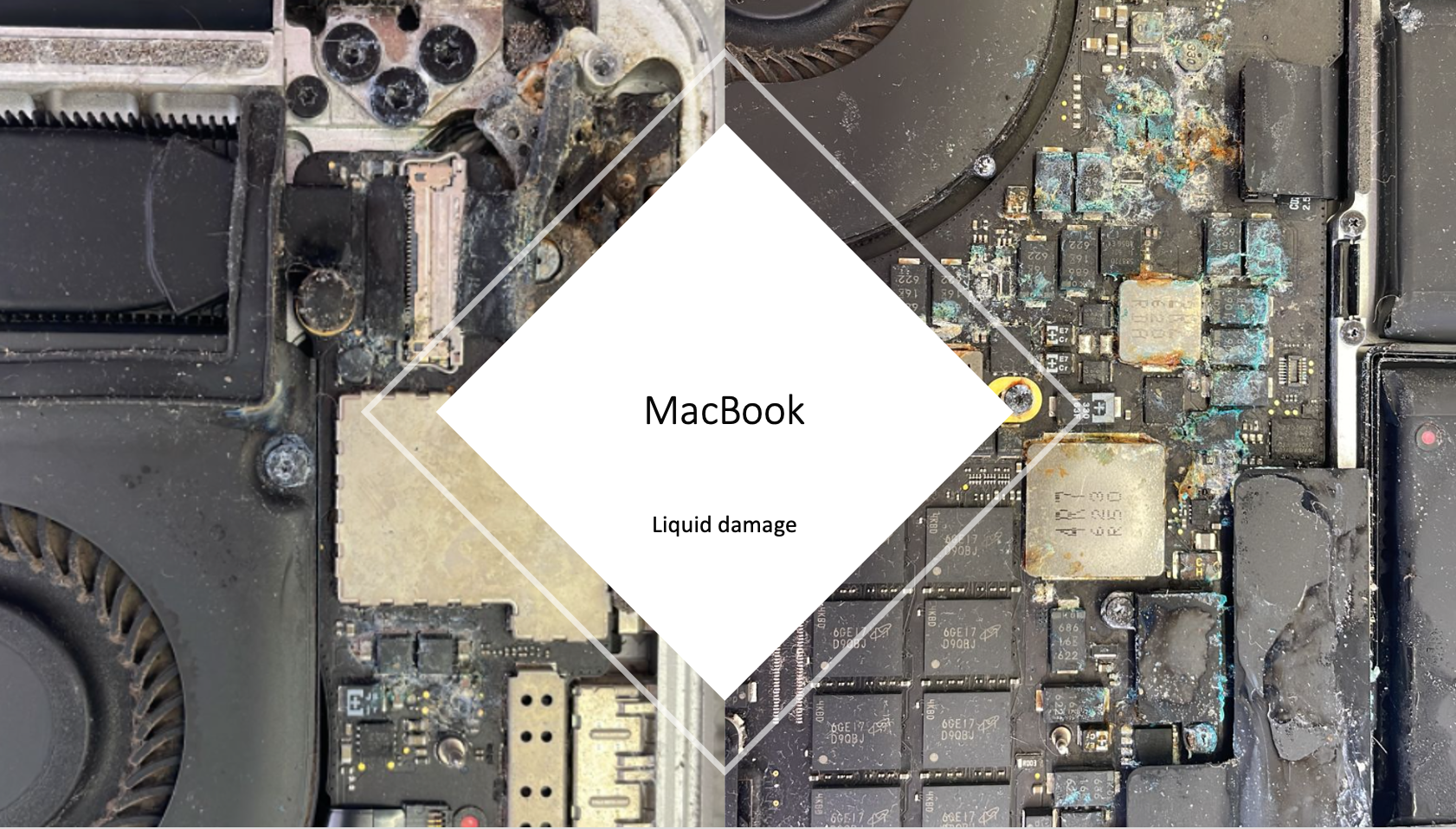
The longer you wait to have your Mac assessed the more damage will be done. The picture is a clear example of liquid damage and what the Mac looks like after a while. The fact is that ignoring it will not let it go away. If not now it will start to act up sooner than later.
Contact Us
(+27) 083 656 8992
(+27) 079 053 9964
admin@zasupport.com
22 North Road, Dunkeld West, Johannesburg
Saturday: 9am – 1pm
Sunday: Closed
Get Started
Reach out to us to receive expert Apple support.
Simply complete our easy 2 minute book in form.
How to remove the Micro-SIM Card on an Ipad
If you need to change your service provider, or your SIM card is faulty and needs replacing on iPad Wi-Fi + 3G, you need to remove the micro-SIM card. To do this, follow these 3 easy steps: 1. First insert the end of the SIM eject tool into the hole on the SIM tray....