
How do I know when I need to replace my Mac’s battery?
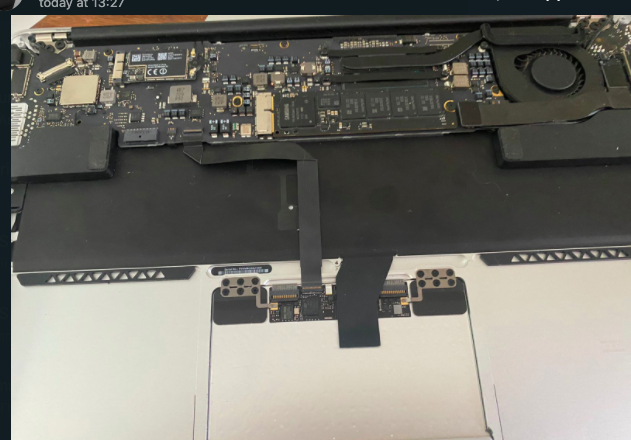
What does a battery consist of?
Technically MacBooks use lithium-ion batteries. Some of the newer MacBooks use a lithium-polymer battery. The Lithium-ion battery consists of an anode and cathode, a separator, and an electrolyte that fills the rest of the space of the battery.
Lithium is used in batteries because it is the lightest of metals and has the highest energy density by weight. It also stores a charge quickly.
What makes your battery fail?
Firstly Mac batteries are rated for about 1000 cycles which are about 3 years of average usage. If your Mac’s battery has reached that limit it needs to be replaced due to age.
Secondly extreme heat or cold can damage the battery. You should not expose your Mac to extreme temperatures for example leaving it in your vehicle or in the sun.
Thirdly physical damage can also affect your battery.
Signs that will alert you that the battery needs to be replaced.
1. Low battery rundown. When the battery charge is low the computer goes into standby mode to prevent losing your work.
2. Service alert. Your Mac monitors the health of its battery. When you get the “Service Battery” warning then your battery most probably needs to be replaced.
3. Unexpected shutdowns. If your mac keeps on turning off often it is a sign that your battery needs to be replaced.
4. Swelling. When you find that the screen is not closing and there is a gap between the upper and lower parts of the case. Problems clicking the trackpad and keyboard keys not working. You could be faced with a swollen battery.
In closing: Although you can still use your Mac plugged in there is always the danger of the battery exploding. The faulty battery can cause more heat than it can handle and can explode. The battery can rupture and the spark can course it to explode and even start a secondary fire. Although it is statistically unlikely it can start a fire and can cause serious harm to a person using the device.
If you are not sure about what to do about your battery contact a specialist and service your Mac at least once a year.
Contact Us
(+27) 083 656 8992
(+27) 079 053 9964
admin@zasupport.com
22 North Road, Dunkeld West, Johannesburg
Saturday: 9am – 1pm
Sunday: Closed
Get Started
Reach out to us to receive expert Apple support.
Simply complete our easy 2 minute book in form.
What is the benefit to reset the PRAM, NVRAM and SMC on your Apple Mac. Updated 2022
What is the benefit to reset the PRAM, NVRAM, and SMC on your Apple Mac? Updated 2022What is the benefit of resetting the PRAM, NVRAM, and SMC on your Apple Mac? When your Mac starts to act up you normally follow the routine of restarting it hoping that the issues...
My Apple Mac Battery is draining quickly. Updated 2022.
My Apple Mac Battery is draining quickly. Updated 2022My Apple Mac Battery is draining quickly. If the battery in your Mac runs out of charge quicker than expected check the following basics. 1. Check the condition of your battery. 2. Monitor the battery status...
What to do when your Apple Mac is overheating and how to avoid it. Updated 2022
What to do when your Apple Mac is overheating and how to avoid it. Updated 2022 What to do when your Apple Mac is overheating and how to avoid it. Macs have very sophisticated cooling systems preventing them to overheat however as Mac owners we have all experienced...
The Keyboard and Trackpad of my Apple Mac are not responding. Updated 2022
The Keyboard and Trackpad of my Apple Mac are not responding. Updated 2022 The Keyboard and Trackpad of my Apple Mac are not responding. I turned my Mac on and found that the Keyboard and Trackpad are not responding. Here are a number of reasons that could be...
Should I upgrade the RAM of my Apple Mac and can it be done. Updated 2022
Should I upgrade the RAM of my Apple Mac and can it be done. Updated 2022Does my MacBook allow RAM upgrades? The memory known as RAM is the parts of your Mac that it uses while it is on and stores everything that it is thinking about. RAM cannot be updated if the...
Update your software for peace of mind. Updated 2022
Update your Mac software for peace of mind. Updated 2022 Should I update my Mac regularly? It is advisable to keep your Mac running with the latest software updates. This not only gets you to access the newest features but protects you against bugs or security...